Karpenter in production: right-sizing at scale
How Salesforce cut 70% of cluster cost with Karpenter — the 3 traps and the 4-step rollout at 1,000+ clusters.
Viktor Vedmich · 7 min read
Salesforce runs Karpenter on more than 1,000 production Kubernetes clusters. Switching from Cluster Autoscaler cut their cluster cost by 70% and dropped provisioning time below 60 seconds. Here is what they figured out — and the three traps most teams hit before they get to those numbers.
Why Karpenter is different
Cluster Autoscaler scales node groups. Karpenter scales nodes.
That sounds trivial until you realize what it means: CA needs you to pre-define instance types in node groups before autoscaling can pick one. Karpenter looks at pending pod requirements — CPU, memory, architecture, availability zone, instance family — and provisions whatever fits, without you creating a dozen node groups.
The result: faster provisioning (sub-60 seconds vs 3-5 minutes), better bin-packing (Karpenter consolidates underutilized nodes automatically), and direct cloud-provider integration (no polling lag — Karpenter watches the Kubernetes API server and acts immediately).
That path — kubectl through the API server, etcd and scheduler, into kubelet, then pods running — is what Karpenter accelerates. Cluster Autoscaler adds a polling loop between “pod pending” and “new node requested”; Karpenter watches the API directly.
But speed and flexibility come with risk. If you don’t constrain Karpenter, it will provision a 96-core instance for 3 small pods. I’ve seen staging bills double overnight because a team forgot to set NodePool limits. Let’s walk through the three traps.
Trap 1 — Provisioning speed causes overscaling
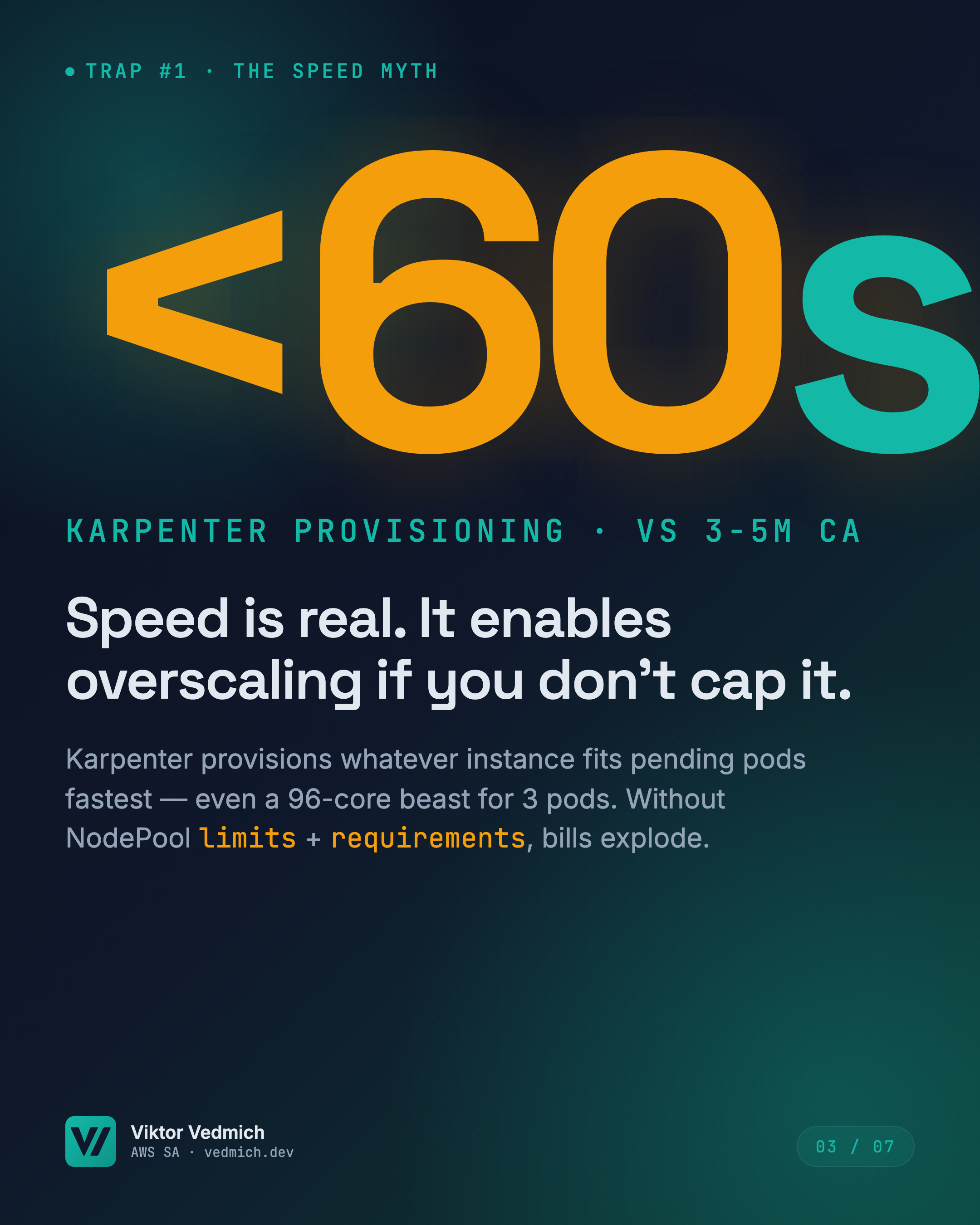
Karpenter provisions in under 60 seconds. Cluster Autoscaler takes 3-5 minutes.
The speed myth is believing that faster is always better. Here’s what actually happens: a deployment creates 10 pending pods. Karpenter sees them, picks the first instance type that fits all 10 pods in one node. If your requirements are unconstrained, that instance could be a c6i.32xlarge (128 vCPUs, $5.44/hour on-demand).
The trap closes when those 10 pods only need 2 vCPUs each. You paid for 128 vCPUs to run 20 vCPUs of actual workload.
The fix: NodePool limits and requirements. Set a CPU ceiling — limits.cpu: 64 means Karpenter will never provision a node larger than 64 vCPUs. Constrain instance families — requirements: [{ key: "karpenter.k8s.aws/instance-family", operator: In, values: ["m7i", "m7a"] }] means Karpenter only considers general-purpose instance types, not compute-optimized beasts.
I recommend starting with Spot instances as your default and an on-demand fallback. Karpenter’s requirements block lets you say “Spot first, on-demand if Spot is unavailable in 60 seconds.” That alone cuts cost by 70% compared to on-demand-only, with minimal interruption risk if you set Pod Disruption Budgets correctly (more on that in Trap 3).
One gotcha: AMI boot time matters more at Karpenter’s speed. If your custom AMI takes 90 seconds to boot, your “sub-60-second provisioning” becomes 150 seconds. I’ve seen teams cache Docker images in their AMI to shave 30-40 seconds off startup. Every second counts when Karpenter is racing to schedule pending pods.
Trap 2 — Running Cluster Autoscaler and Karpenter at the same time
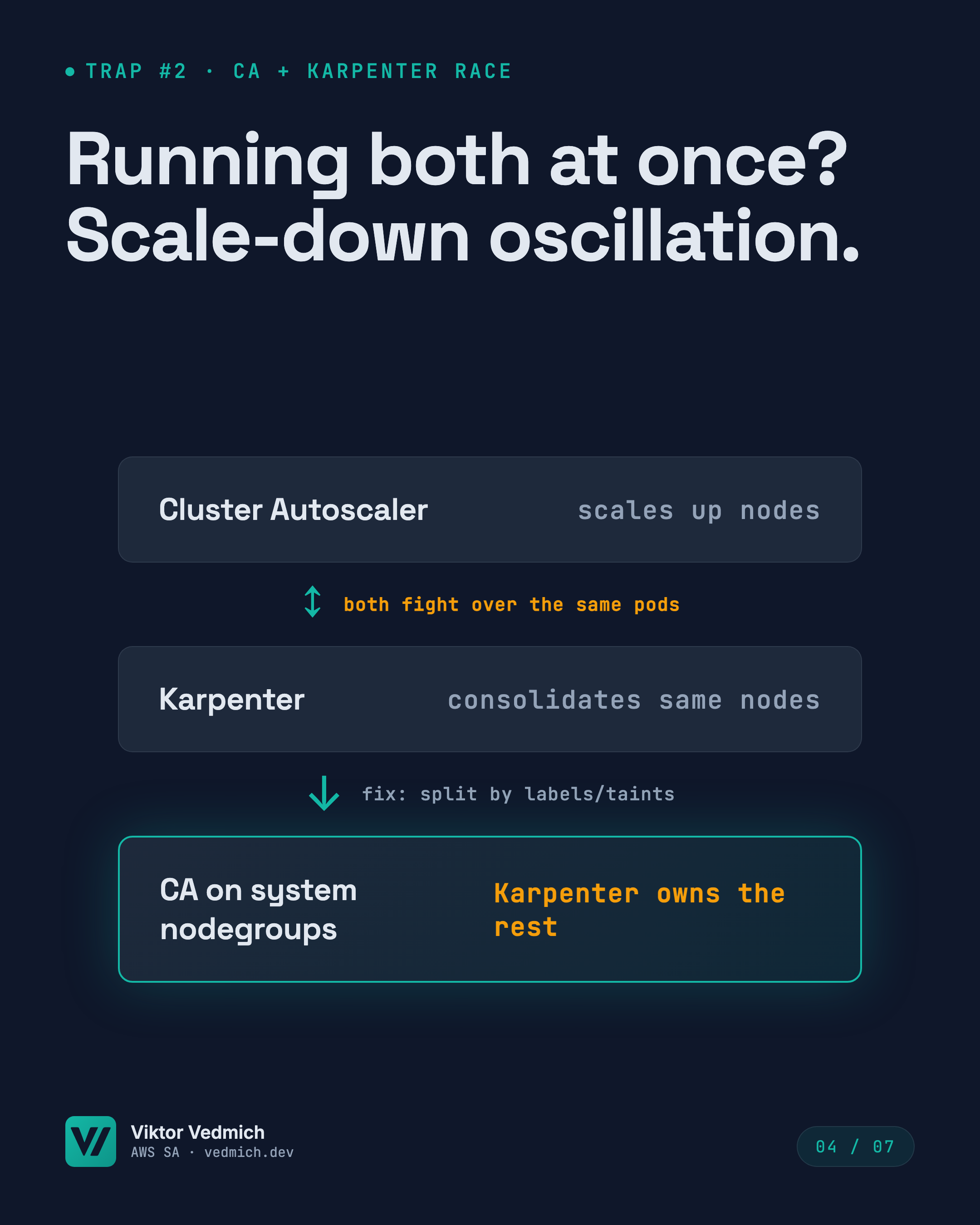
Cluster Autoscaler scales nodes up. Karpenter consolidates them down. Both look at the same pods.
If you run both, you get oscillation: CA adds a node group node at 10:00. Karpenter sees underutilized nodes at 10:02 and drains the CA node. The pods land on a Karpenter-managed node. CA sees pending pods again and scales the node group back up at 10:05. Rinse, repeat.
I’ve debugged this at a customer running 200 EKS clusters. Their monitoring showed 30-50 node replacements per hour. Pods were healthy, but churn was high enough to trigger false positives in their anomaly detection.
The fix: split ownership. Cluster Autoscaler owns system node groups (kube-system, logging, monitoring — anything that should stay on predictable, long-lived on-demand nodes). Karpenter owns everything else.
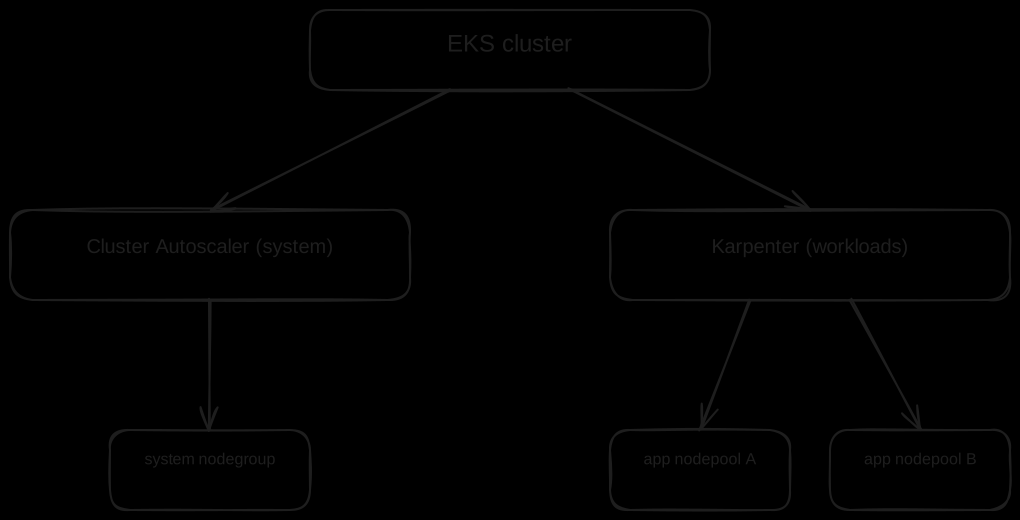
Technically, you do this with taints and labels. Your system node group gets node-role.kubernetes.io/system=true:NoSchedule. kube-system pods get a matching toleration. Everything else lands on Karpenter-managed nodes. CA and Karpenter now operate on disjoint sets — no more race.
Salesforce uses this pattern across all 1,000+ clusters. CA scales their stateful workloads and system components. Karpenter handles the stateless fleet. Clean separation, zero oscillation.
Trap 3 — Karpenter will churn production pods at peak traffic unless you stop it
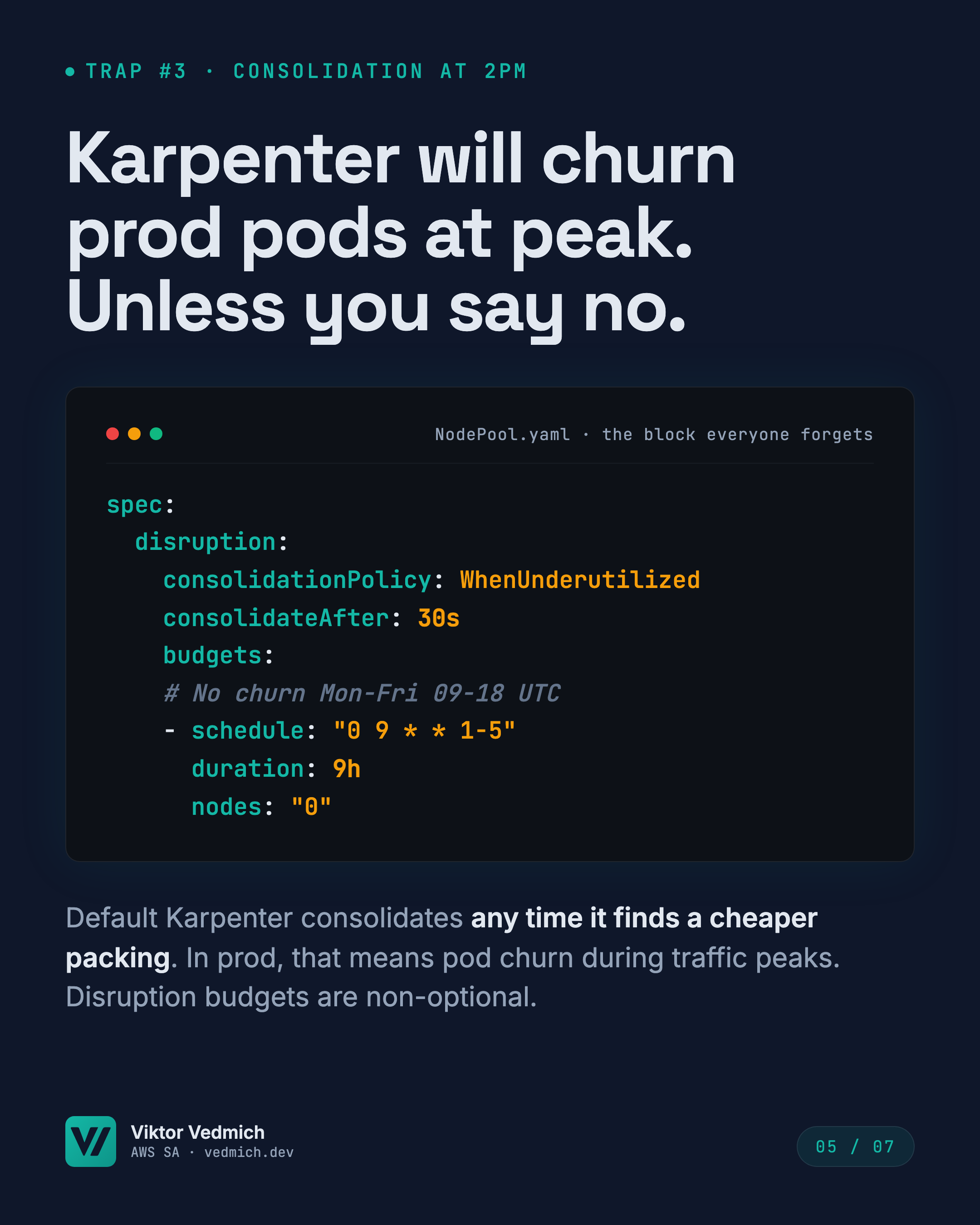
Default Karpenter consolidates any time it finds a cheaper packing. That includes business hours.
Here’s the nightmare scenario: your traffic peaks at 2pm. Karpenter sees two nodes, each at 40% utilization. It realizes it can pack both nodes’ pods onto one node, saving $2/hour. It drains node A, moves the pods to node B. The pod restart takes 15 seconds. Your users see 15 seconds of 500 errors because you didn’t set a PodDisruptionBudget.
Even with PDBs, consolidation churn is a problem. Karpenter’s default consolidateAfter: 30s means it starts draining nodes 30 seconds after they become underutilized. In a dynamic workload, that’s too aggressive.
The fix: disruption budgets and consolidation schedules. The NodePool snippet from the carousel shows the pattern:
spec:
  disruption:
    consolidationPolicy: WhenUnderutilized
    consolidateAfter: 30s
    budgets:
    # No churn Mon-Fri 09-18 UTC
    - schedule: "0 9 * * 1-5"
      duration: 9h
      nodes: "0"
That schedule says: Monday through Friday, from 9am to 6pm UTC, do not drain any nodes (nodes: "0"). Karpenter will still provision nodes if pods are pending, but it won’t consolidate existing nodes during business hours.
Combine that with per-application PodDisruptionBudgets:
apiVersion: policy/v1
kind: PodDisruptionBudget
metadata:
  name: frontend-pdb
spec:
  minAvailable: 2
  selector:
    matchLabels:
      app: frontend
That PDB says: at least 2 frontend pods must stay running at all times. If Karpenter tries to drain a node, it has to respect the PDB. If draining would violate the PDB, the drain is blocked.
I recommend starting with a permissive consolidateAfter: 5m and a business-hours disruption budget. Monitor your pod restart rate for a week. If you see no churn during business hours and acceptable churn overnight, tighten consolidateAfter to 2m. If you see too much churn, widen the business-hours window.
The 4-step production rollout
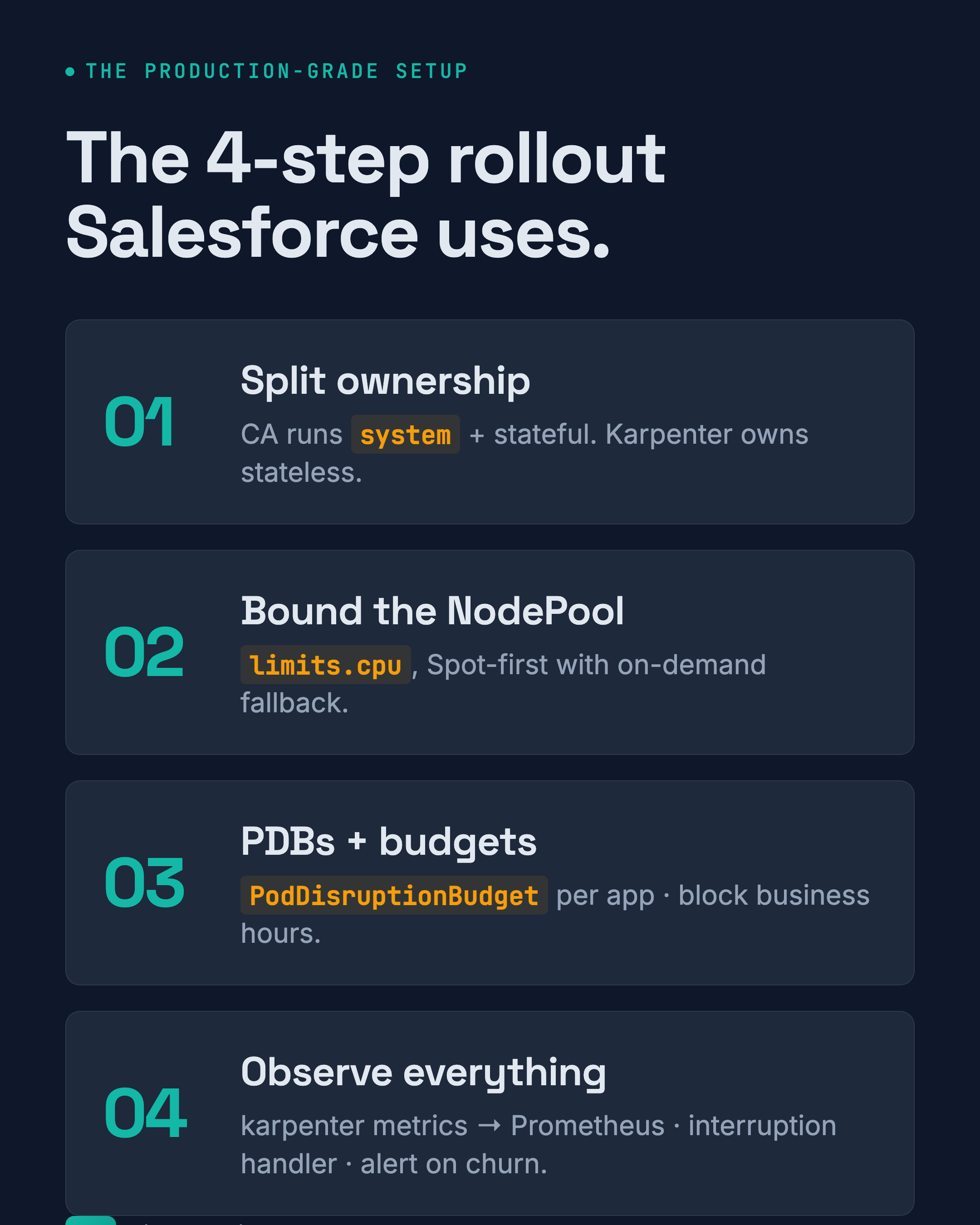
Salesforce’s rollout pattern is the one I recommend to every customer:
Step 1: Split ownership. Cluster Autoscaler runs system and stateful workloads (taints + tolerations). Karpenter owns stateless. No overlap.
Step 2: Bound the NodePool. Set limits.cpu, constrain instance families, default to Spot with on-demand fallback. Do not let Karpenter provision unconstrained.
Step 3: PDBs and budgets. Every application gets a PodDisruptionBudget. Every NodePool gets a disruption budget blocking consolidation during business hours.
Step 4: Observe everything. Karpenter exports Prometheus metrics — karpenter_nodes_created, karpenter_pods_startup_duration, karpenter_interruption_actions_performed. Alert on node churn rate (rate(karpenter_nodes_terminated_total[5m]) > 5 means you’re churning more than 5 nodes per 5 minutes — investigate).
Wire Karpenter metrics into your existing Prometheus setup. Use the AWS Node Termination Handler to drain Spot nodes gracefully when AWS sends the 2-minute interruption notice. Watch your pod eviction rate — if it spikes, your PDBs are too loose.
Start small, measure, scale
If you are moving from Cluster Autoscaler to Karpenter, start with a single non-critical NodePool. Pick a low-traffic application — internal tools, staging environments, batch jobs. Measure provisioning latency, cost per pod, and eviction rate for two weeks before rolling to the production fleet.
The Salesforce numbers — 70% cost cut, 1,000+ clusters, sub-60-second provisioning — are real. But they didn’t start there. They started with one cluster, one NodePool, and two weeks of metrics. Then they scaled.
Karpenter is faster, cheaper, and more flexible than Cluster Autoscaler. But speed without guardrails is a billing disaster. Set limits, split ownership, use PDBs, and watch your metrics. The cost savings are worth it.
Related
- LinkedIn carousel: Karpenter at 1000 clusters — 3 traps you hit before you cut cost — grounded source for this post
- AWS Summit Warsaw 2026 (DOP202): Integrated AI Agents & Code Assistants with MCP & AWS — upcoming talk, 2026-05-06